wg-securing-software-repos
PyPI implementation case study
- Author: Nicole Harris
- Added: October 2026
The Python Package Index (PyPI) is the first package registry to implement this style guide’s recommendations, following the highest UI requirements (Level AAA). This work included:
- Introducing a dedicated security tab
- Restructuring the main package page to show provenance status in the sidebar
- Updating the user documentation to include dedicated security guidance
The implementation was tracked on the Warehouse issue tracker and publicized on the PyPI blog.
This page documents:
- What PyPI built
- The additional user research conducted to support the implementation
- What other registries can learn from that process
Unique challenges
Attestations at the file level
Most recommendations in this style guide assume a package has a single, package-level attestation. PyPI does not work that way: a single release is a collection of files, with each file carrying (or not carrying) its own attestation. A release can therefore be in a mixed state (e.g., some files fully attested, others missing attestations) with no single “the package is attested” status to display.
This meant PyPI could not simply drop the style guide’s attestation component onto a project page. The team needed to decide what to show at the release level (a summary), what to show at the file level (the detail), and how to handle discrepancies between the two.
PyPI also needed to decide how to handle edge cases and warning states that were not explicitly documented in the style guide, including:
- Incomplete provenance: When a release has some files with attestations and some without
- Inconsistent provenance: When a release has files with different provenance (e.g., some files from one repository or configuration, others from another)
- Loss of provenance: When a previous release had provenance/attestations, but the current release does not
- Change of provenance: When the publishing repository or configuration has changed between releases
In all cases, there could be legitimate explanations for these anomalies (e.g., a maintainer has migrated publishing or code-hosting platforms). However, these patterns are also strong indicators of a potential compromise. Communicating this requires a careful balance: warning users to act with appropriate caution without unfairly penalizing or shaming maintainers who make legitimate workflow changes.
Other security signals
Beyond attestations, PyPI already presented other security signals that needed to be considered in the redesign:
-
Metadata verification: PyPI checks select maintainer-provided metadata during upload, historically grouping it into “Verified details” and “Unverified details” sections in the sidebar. However, this labeling was ambiguous in scope and sometimes led users to believe the entire release (rather than just its metadata) had been validated.
-
Late-uploaded distribution files: PyPI previously allowed maintainers to upload new distribution files indefinitely after a release date. Although PyPI introduced a 14-day window for adding new files in July 2026, the UI still needed to highlight historical “late files”, particularly to help contextualize attestation anomalies.
Initial designs, research & validation
We created, refined, and built new designs as clickable prototypes. This included:
- Updating the package detail page to improve communication of security signals
- Displaying provenance status in the sidebar
- Displaying attestations, both on a new security tab and on the file detail page
The designs were then evaluated through user research, including:
- A survey on the sidebar redesign
- User interviews with six participants representing the three personas
The survey asked respondents to rank metadata (including provenance) by importance when evaluating a package’s trustworthiness and suitability.
The interviews asked users to interact with clickable prototypes, testing six provenance states:
- Full provenance
- Full provenance with both PyPI Publish and SLSA Build Provenance attestations
- No provenance
- Partial provenance
- Changed provenance
- Per-file anomalies
Key findings:
- Provenance is highly valued: In the survey, provenance ranked second overall in importance for both suitability and trustworthiness
- Organizing by utility beats separating “verified” vs. “unverified” details: While a majority of survey respondents found it helpful to prioritize PyPI-verified metadata, 146 of 777 said separate “Verified” and “Not verified” sections made legitimate, unverified metadata look unnecessarily suspicious. All six interview participants preferred organizing metadata by utility, with inline verification badges and labels.
- Term familiarity varies: Four of six interview participants understood provenance in general terms (“where the thing came from”), but two had no familiarity with the term, highlighting the need for plain-language explanations
- Warnings prompt investigation, not immediate rejection: Interview participants treated provenance anomalies and warnings as actionable context to investigate further, rather than as an automatic signal to abandon a project or release
User feedback was integrated into the final designs before implementation. For example, we dropped the per-file anomalies design: participants found comparisons between files within a release confusing, and comparisons between releases more useful. As a result, provenance warnings are summarized at the release level: even “Inconsistent provenance”, which compares files within a release, is presented as a single release-level warning, with files grouped by repository and configuration.
Implementation
The following screenshots document the PyPI implementation.
No provenance
When a release has no provenance:
- A security tab is displayed
- No provenance-specific metadata is included in the sidebar
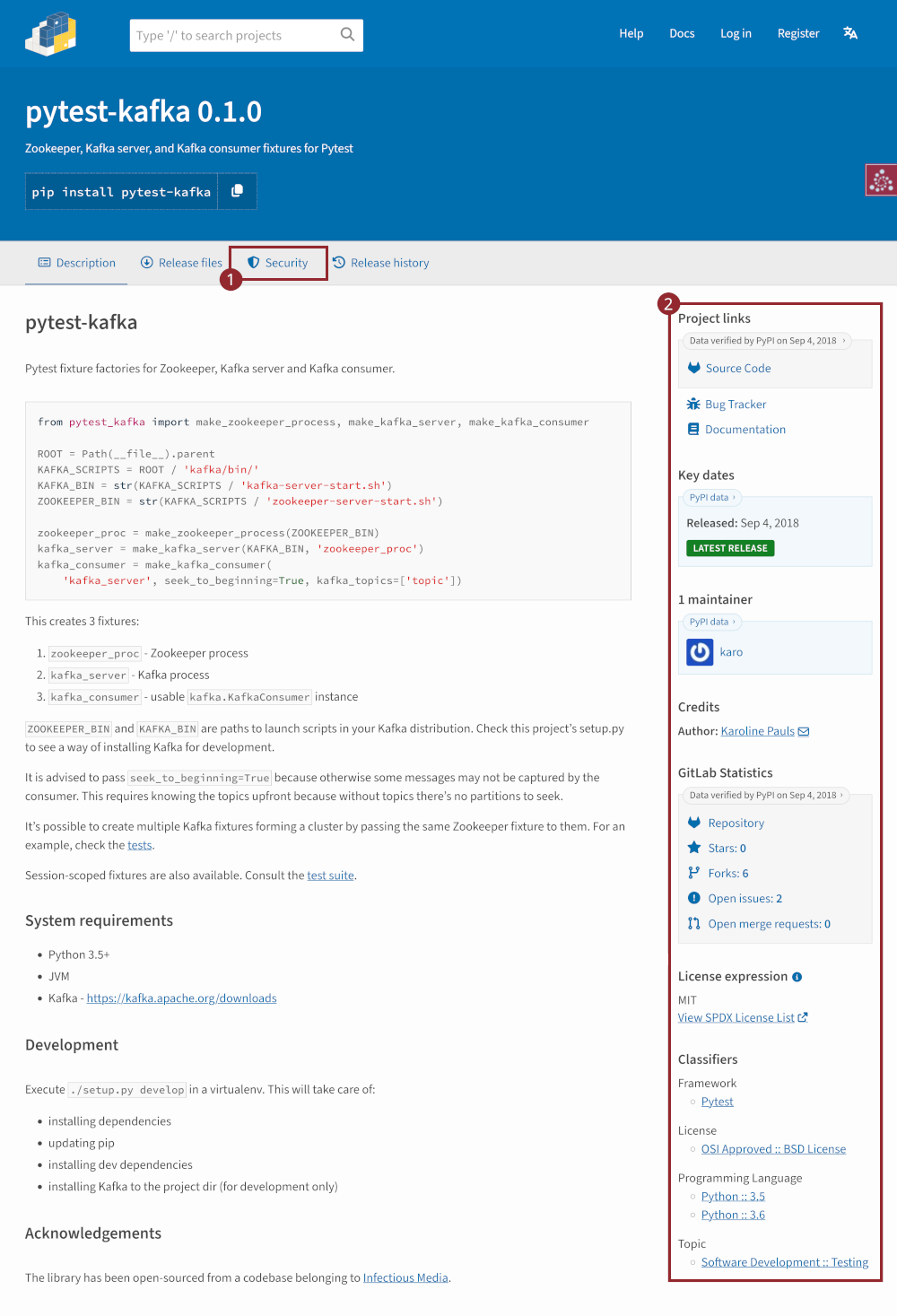
When users select the security tab, they see:
-
A description of provenance and attestations:
Provenance describes where a file came from. On PyPI, provenance is shared via attestations, which provide a verifiable record of the build or publishing details. View details, limitations and caveats.
-
A “No provenance found” alert:
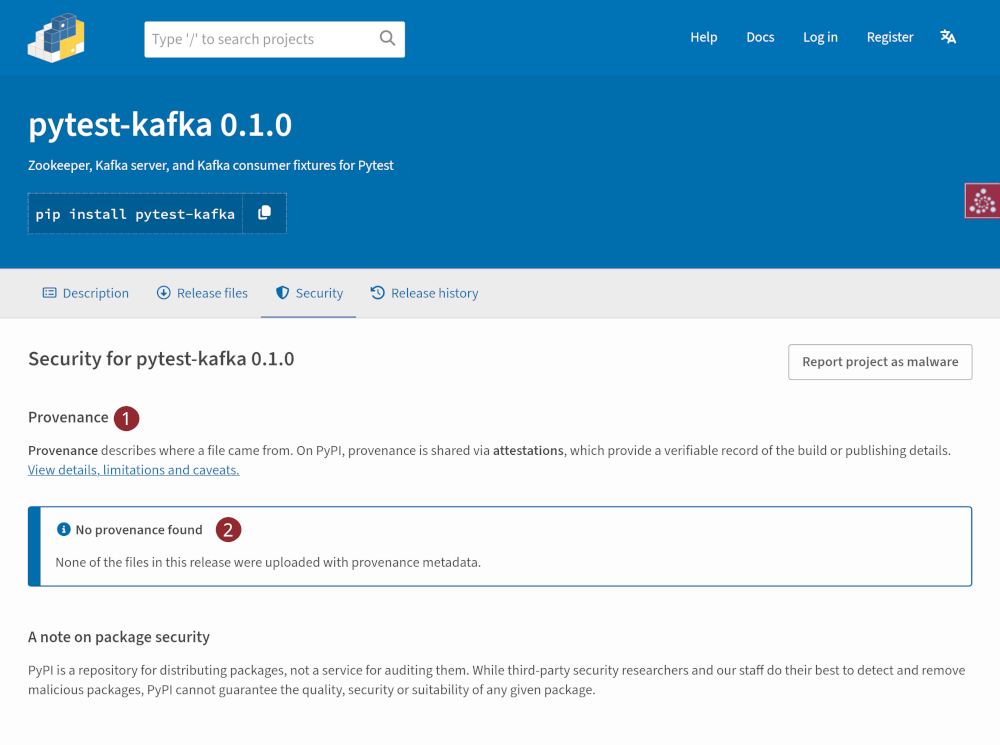
This approach introduces users to the concepts of provenance and attestations without penalizing maintainers by displaying a negative “No provenance” status on the main tab.
With provenance
When a release contains provenance metadata, it is surfaced across several parts of the UI.
On the project description tab:
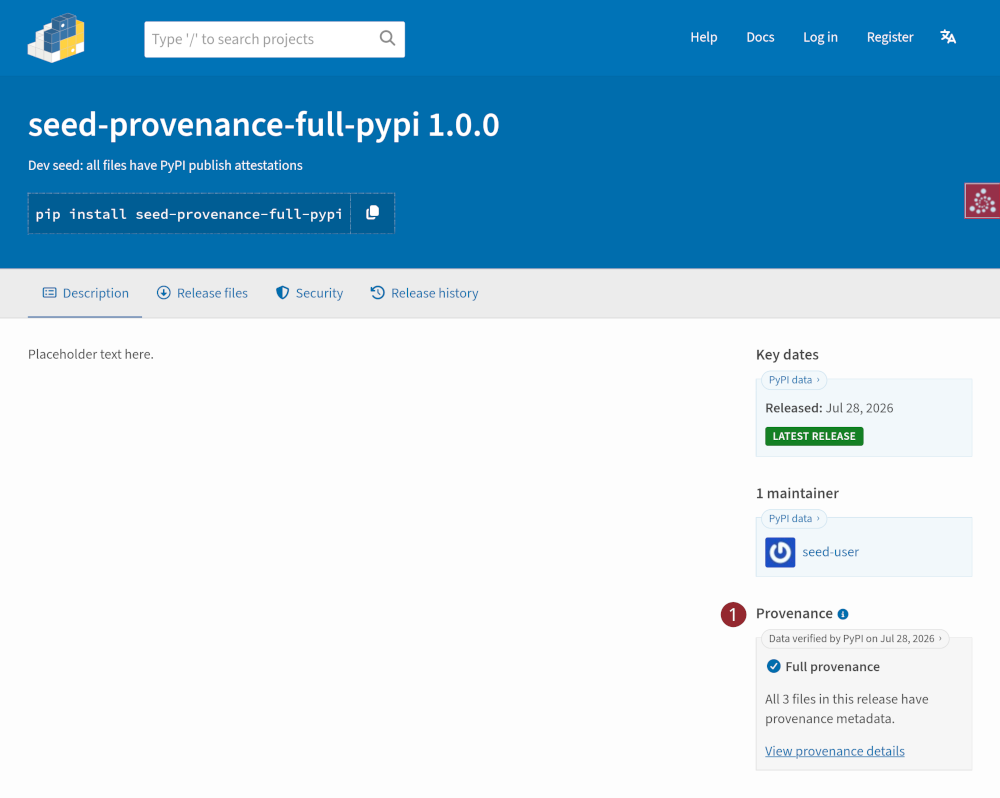
- The sidebar displays the “Provenance” status, linking to the security tab for more details
On the security tab:
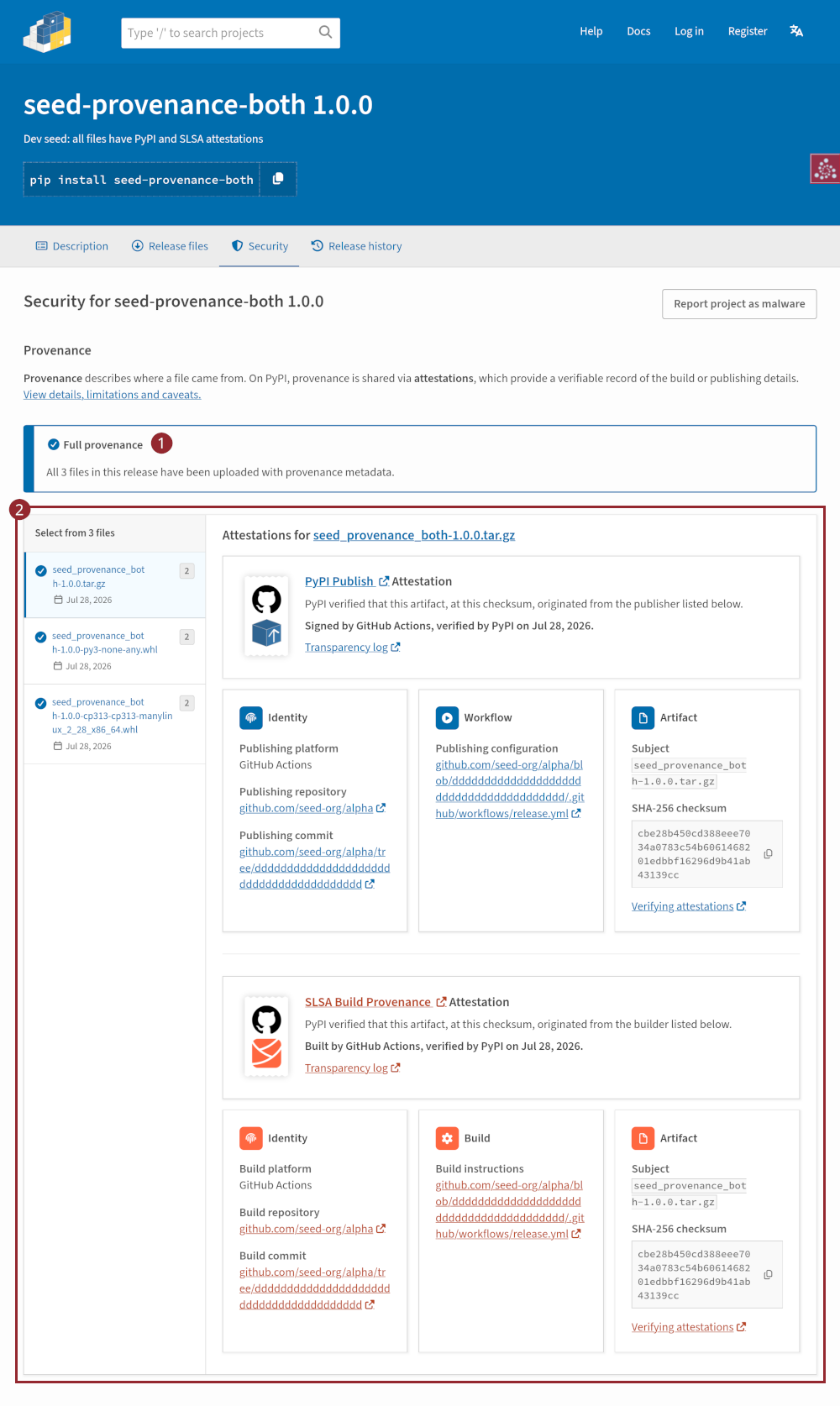
- The provenance status of the release is highlighted in an alert near the top of the page
- A per-file attestations viewer is displayed, allowing users to inspect the attestations for each file. Where both PyPI and SLSA attestations exist, they are differentiated by color, iconography, and description.
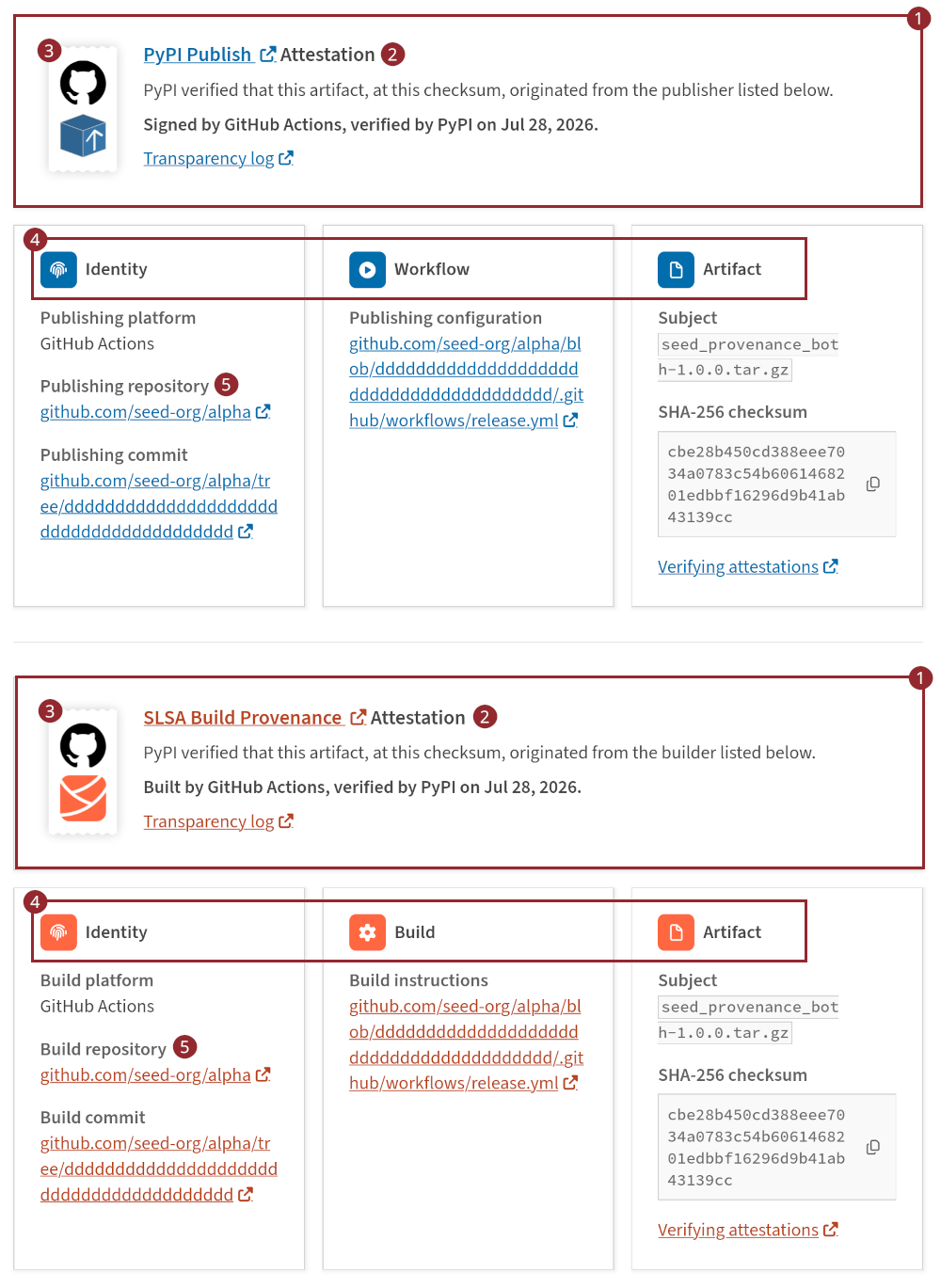
The attestations have been adapted for each attestation type:
- The attestation block, which the style guide recommends displaying under the other columns, has been moved above the other metadata to act as a header. This groups each attestation’s identity, workflow, and artifact details together, and allows the attestation type to be used as a heading.
- The attestation title displays the attestation type (i.e., PyPI or SLSA) and links to the predicate definition
- A logo denotes which service built or signed the attestation alongside the attestation type. Logo combinations include GitHub + PyPI, GitHub + SLSA, GitLab + PyPI, GitLab + SLSA, Google Cloud + PyPI, and Google Cloud + SLSA.
- “Identity”, “Workflow/Build”, and “Artifact” labels reflect the specific data displayed for each attestation type
- Subtitles are customized to the attestation type. For example, the repository is labeled as a “Publishing repository” for PyPI Publish attestations, whereas for SLSA attestations, it is labeled as a “Build repository”.
On the files tab:
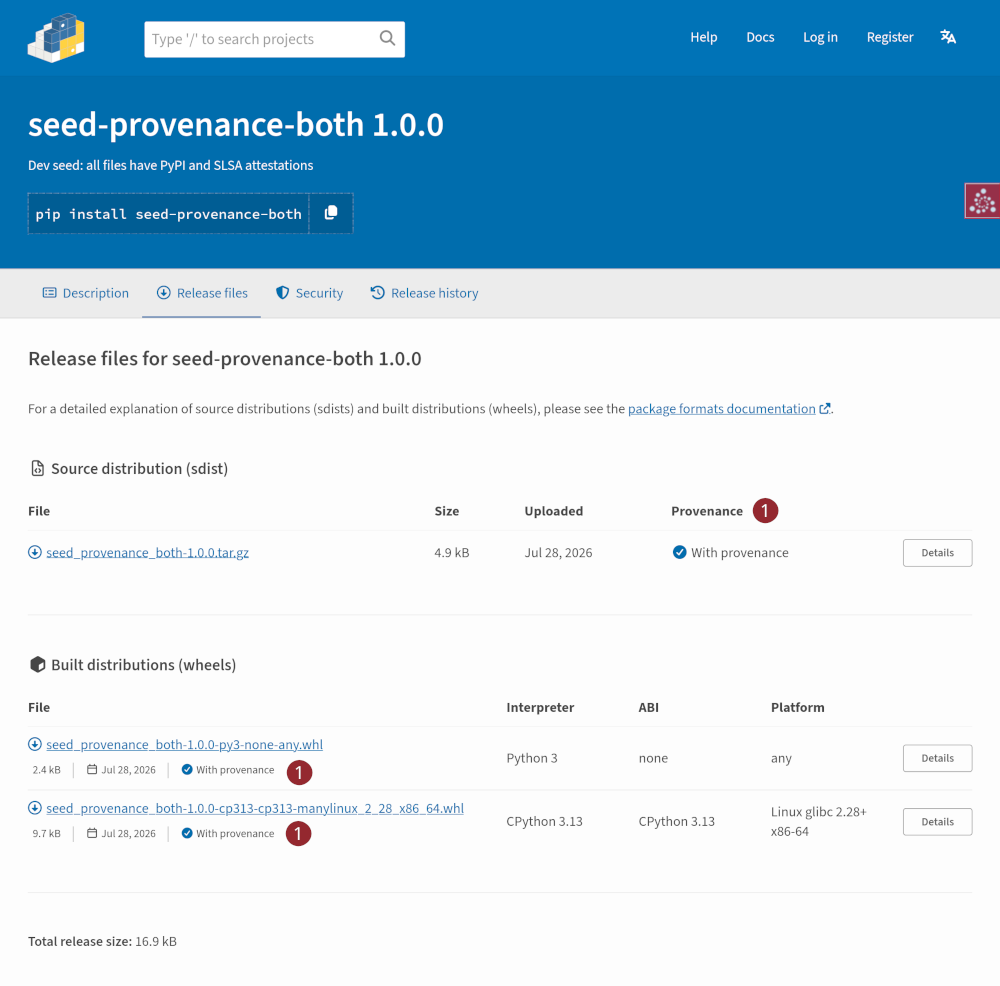
- Files with provenance are marked “With provenance” alongside a blue checkmark that matches the iconography on the security tab
The attestation block is also included on the file detail page (accessed via the “Details” button).
Warning states
When an anomaly is detected in the release’s provenance, it is surfaced across the interface:
- In the release status bar at the top of the page1
- In the project description sidebar
- On the security tab
- On the files tab and file detail page
Incomplete provenance
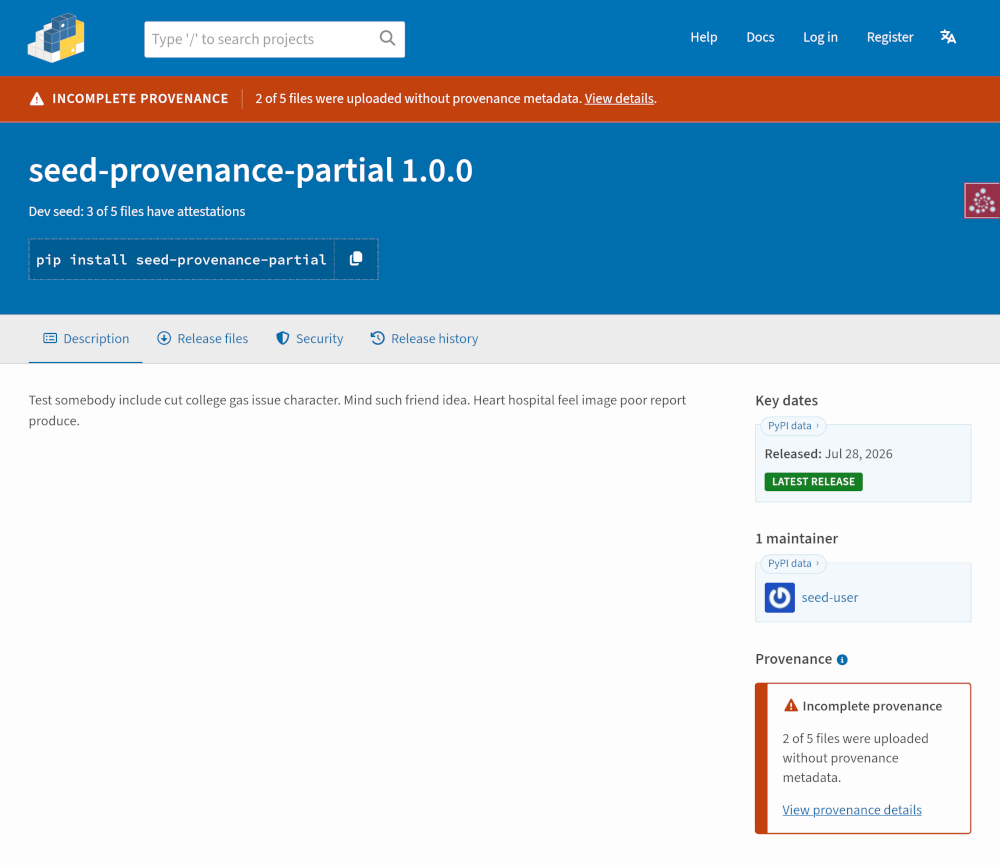
When only some files carry attestations, an “Incomplete provenance” warning appears in the release status bar and the sidebar’s provenance panel, linking to further details:
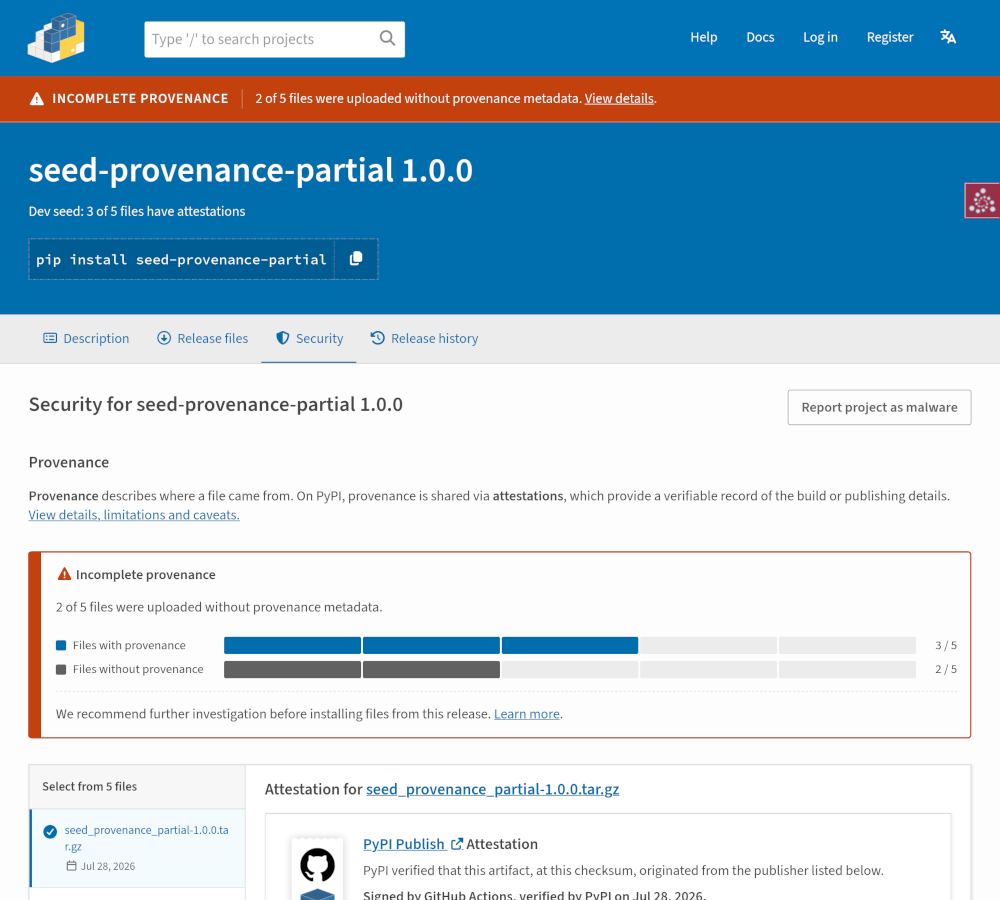
On the security tab, an alert explains how many files were uploaded without provenance metadata, accompanied by a bar chart breaking down the release’s files:
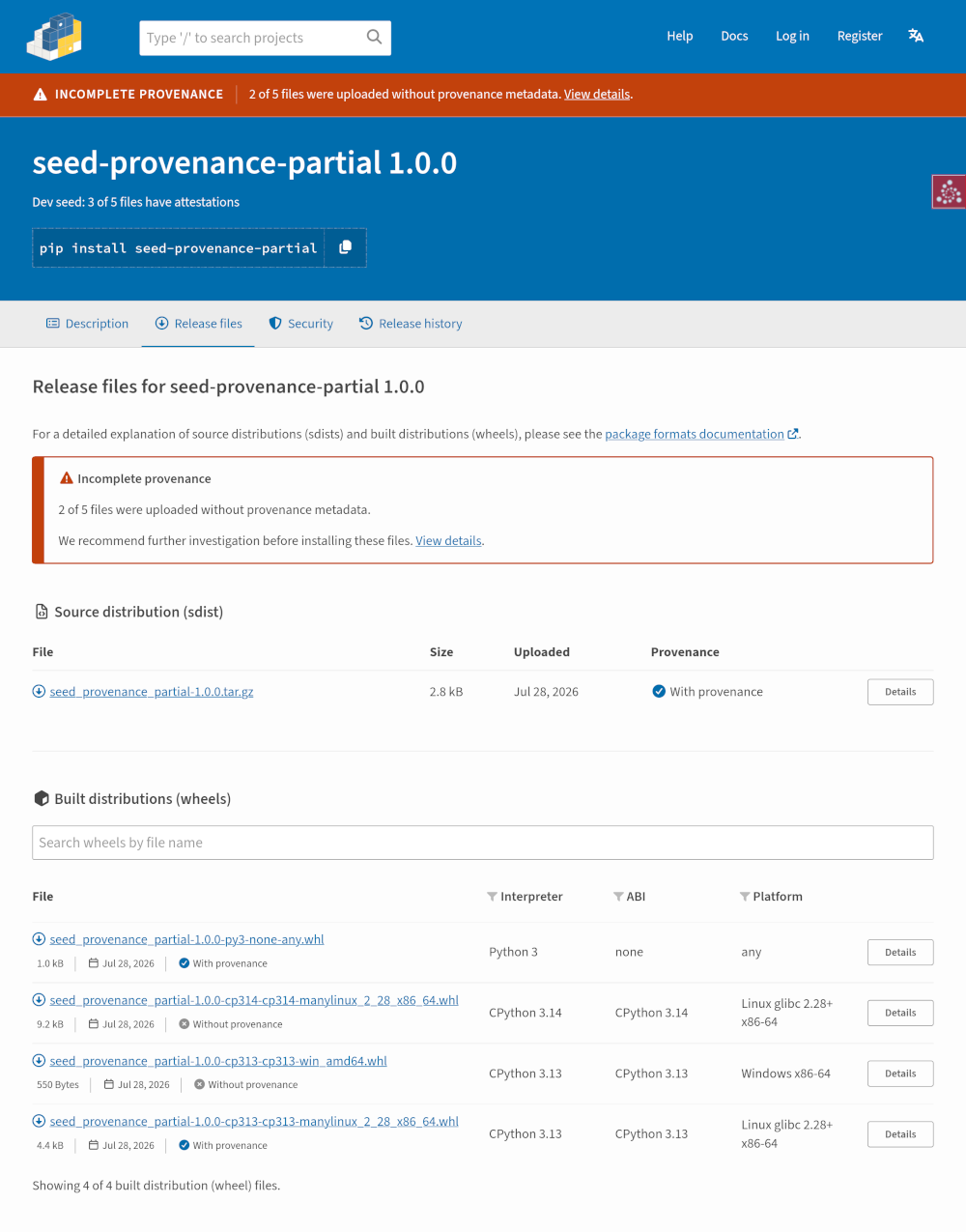
On the files tab, an alert is displayed, with individual files marked as either “With provenance” or “Without provenance”:
Inconsistent provenance
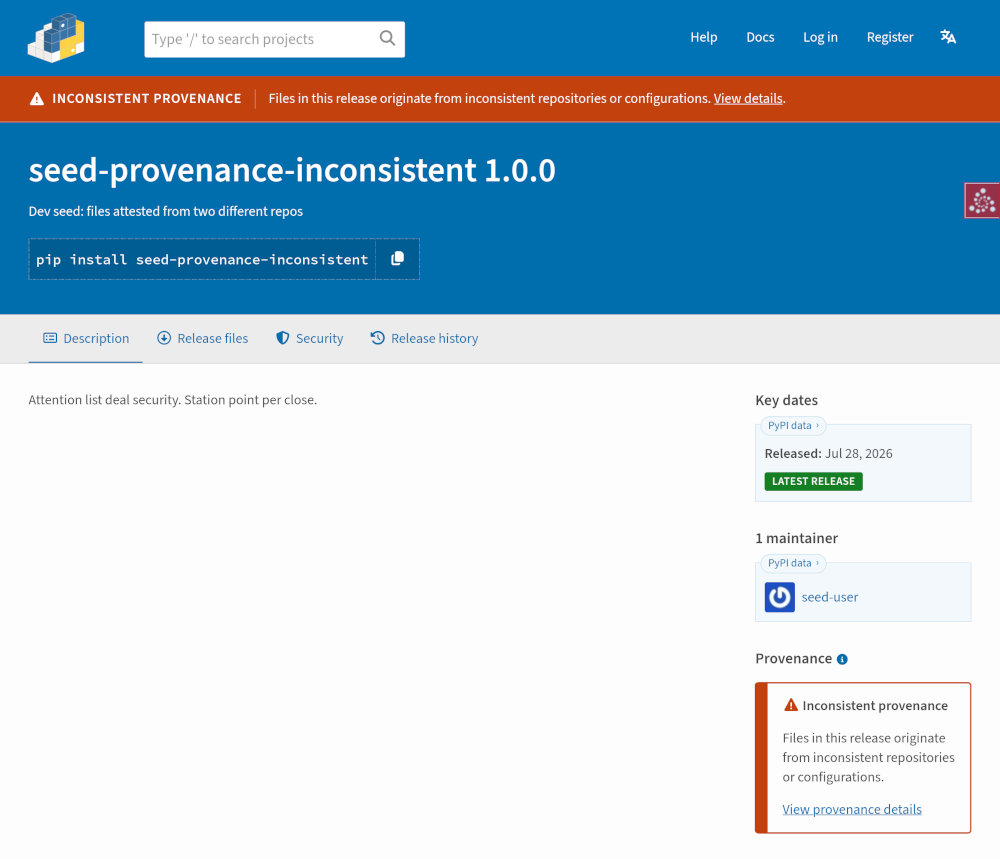
When files within the same release originate from differing repositories or configurations, an “Inconsistent provenance” alert is surfaced across the top bar and sidebar panel:
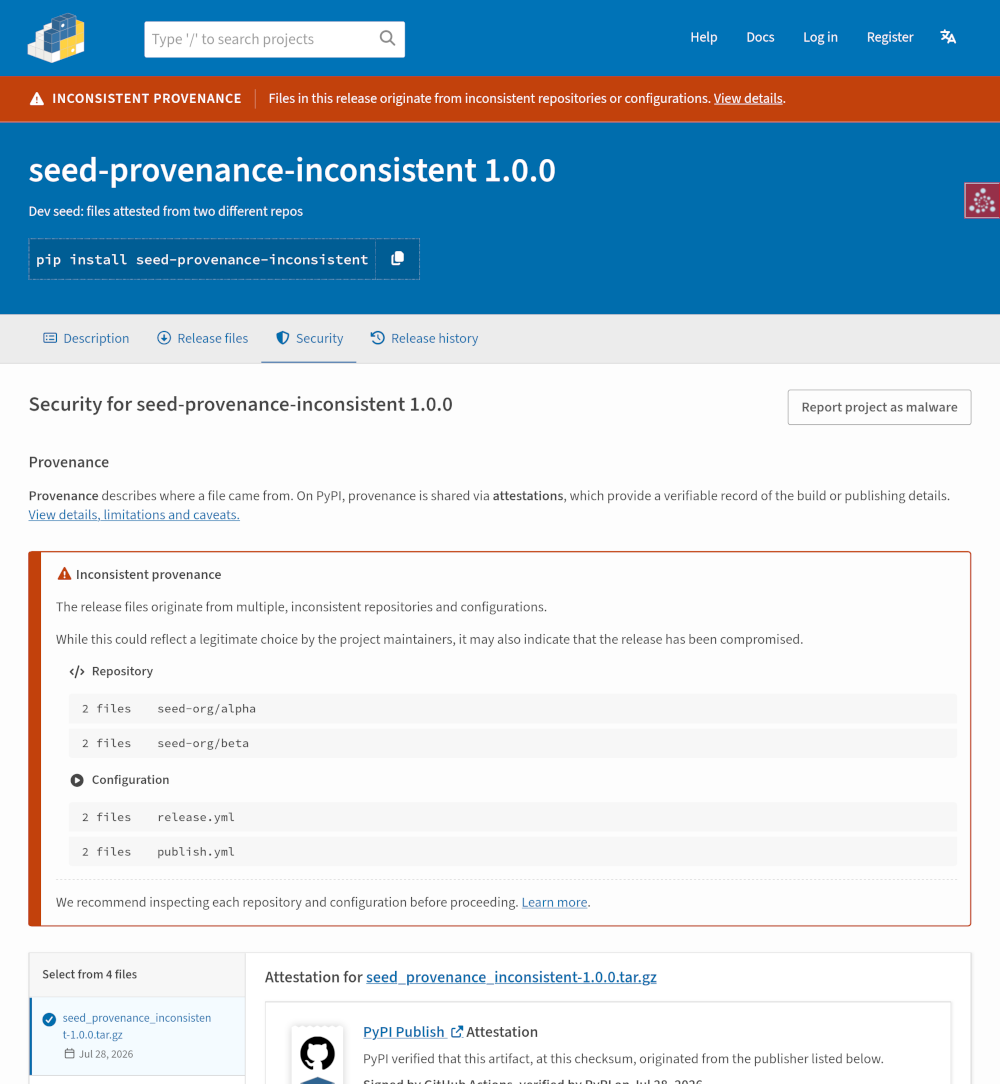
The security tab outlines the distinct repositories and configurations detected across the artifacts, grouping files by the repository and configuration that produced them:
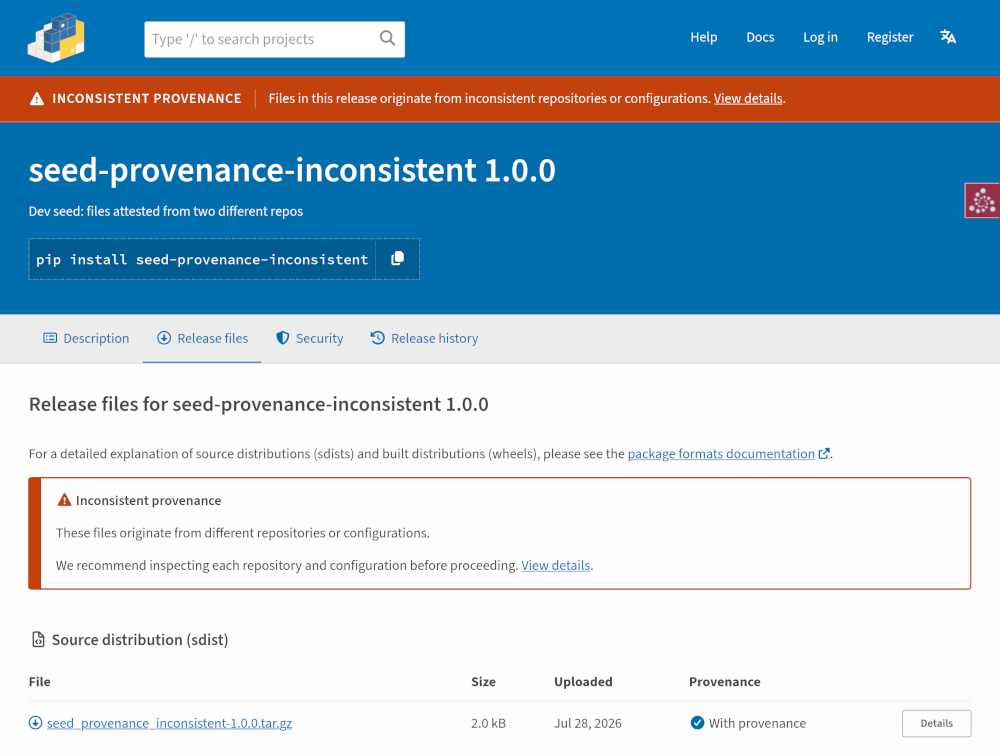
On the files tab, an alert notes that the release’s files originate from different repositories or configurations:
Loss of provenance
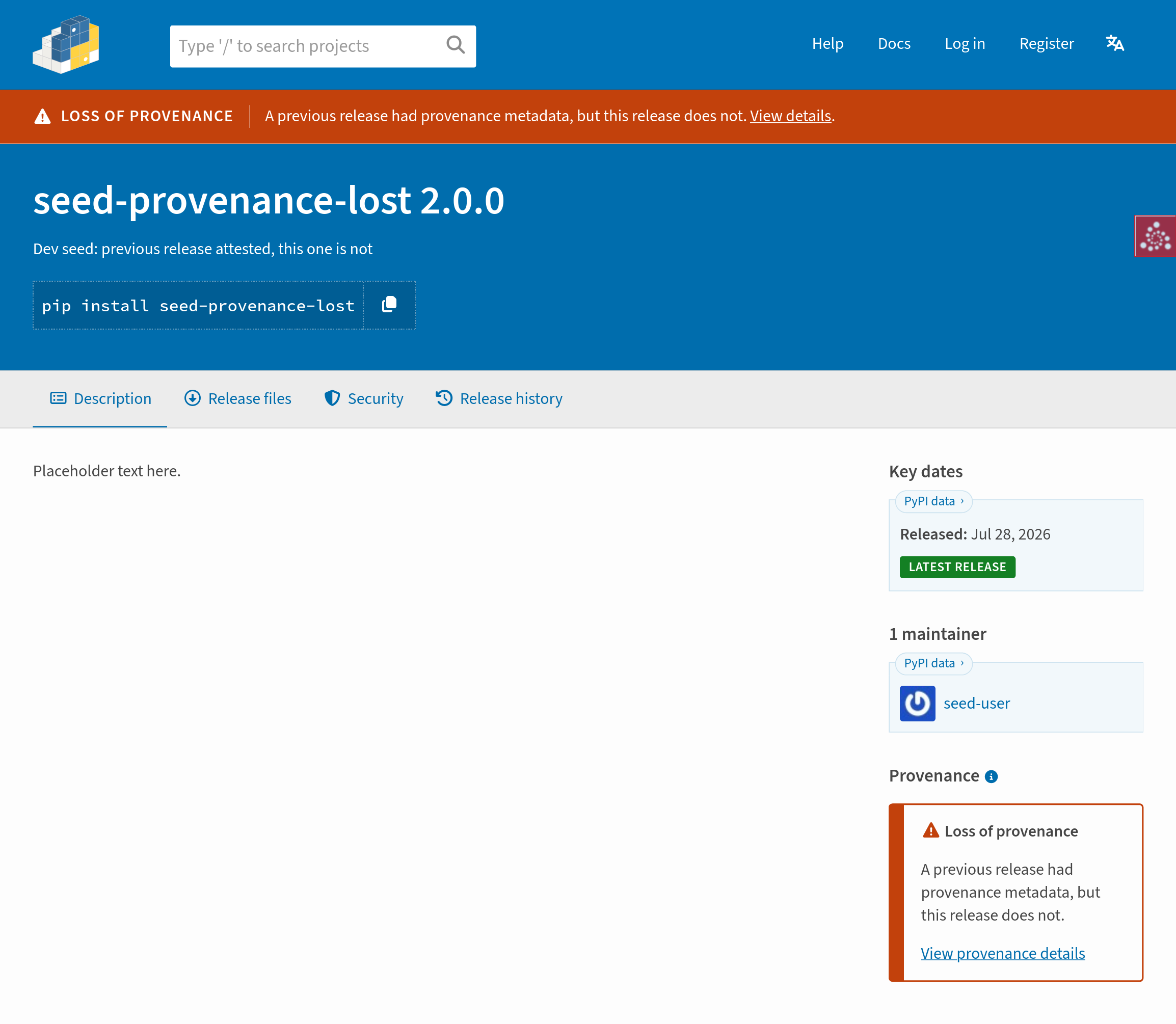
When provenance has been lost between releases2, the UI displays a “Loss of provenance” alert in the top bar and sidebar:
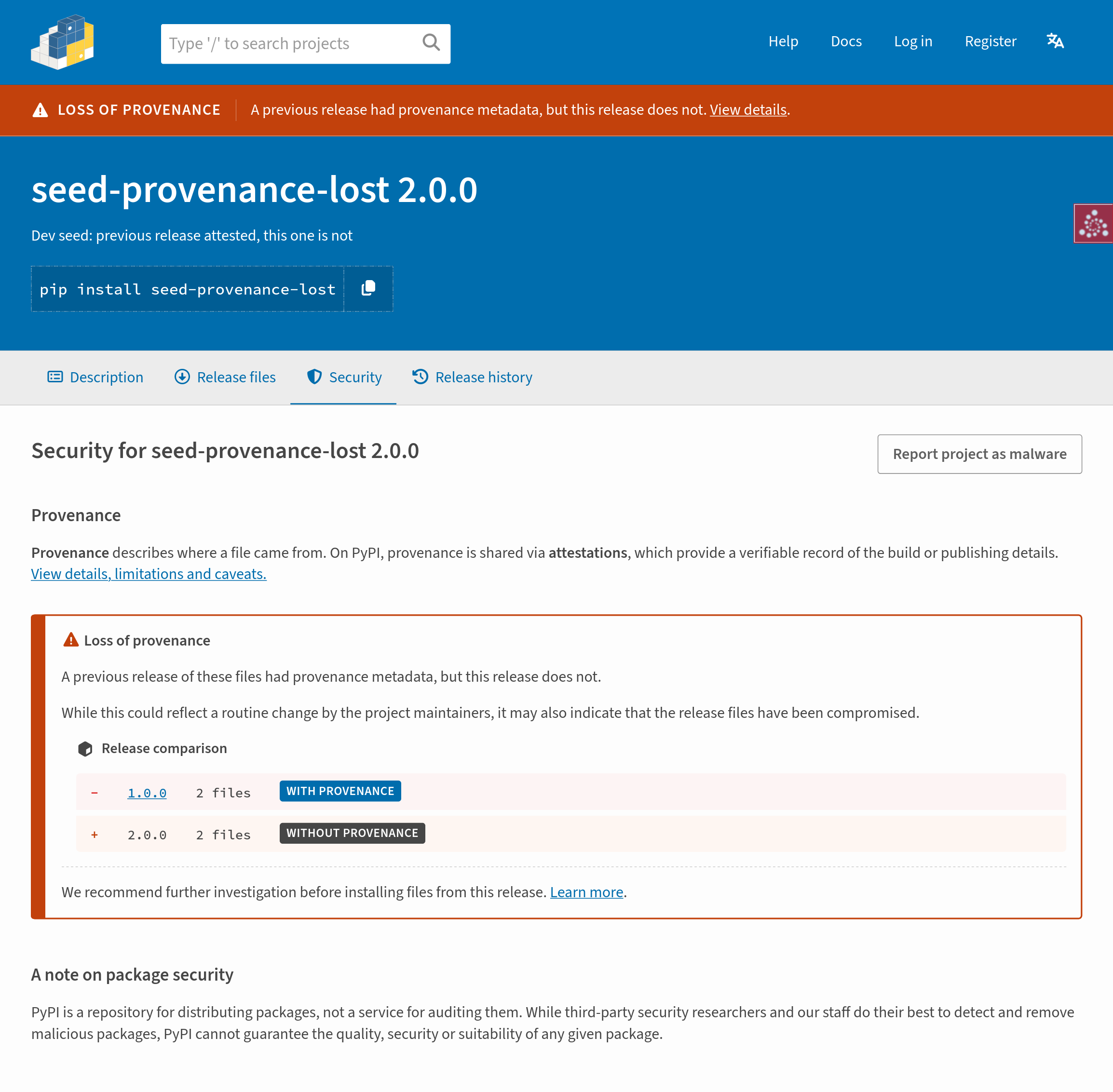
On the security tab, an alert explains that a previous release had provenance metadata while the current one does not, and includes a release comparison table:
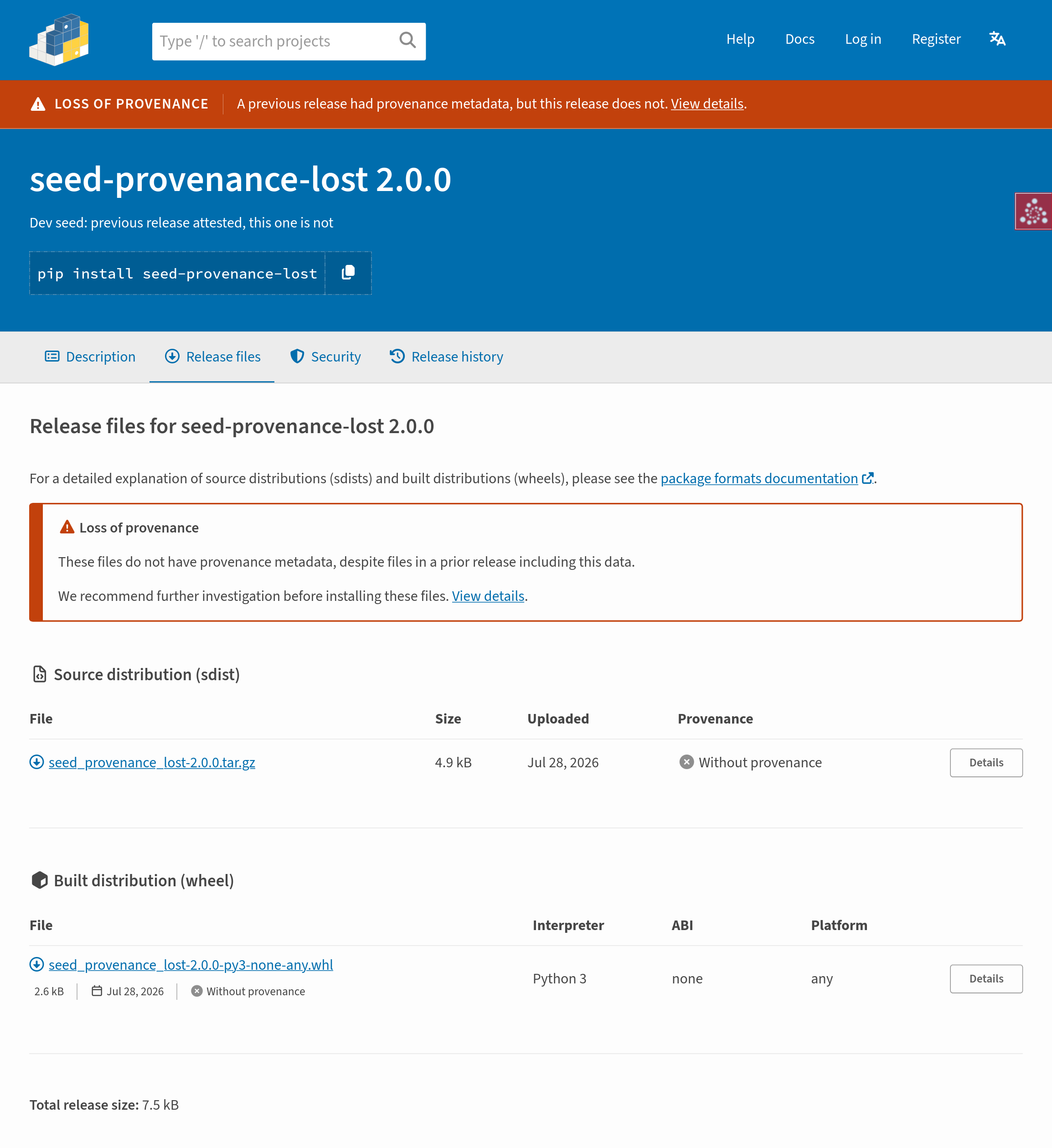
On the files tab, an alert is added that links users to the security tab for more information:
Change of provenance
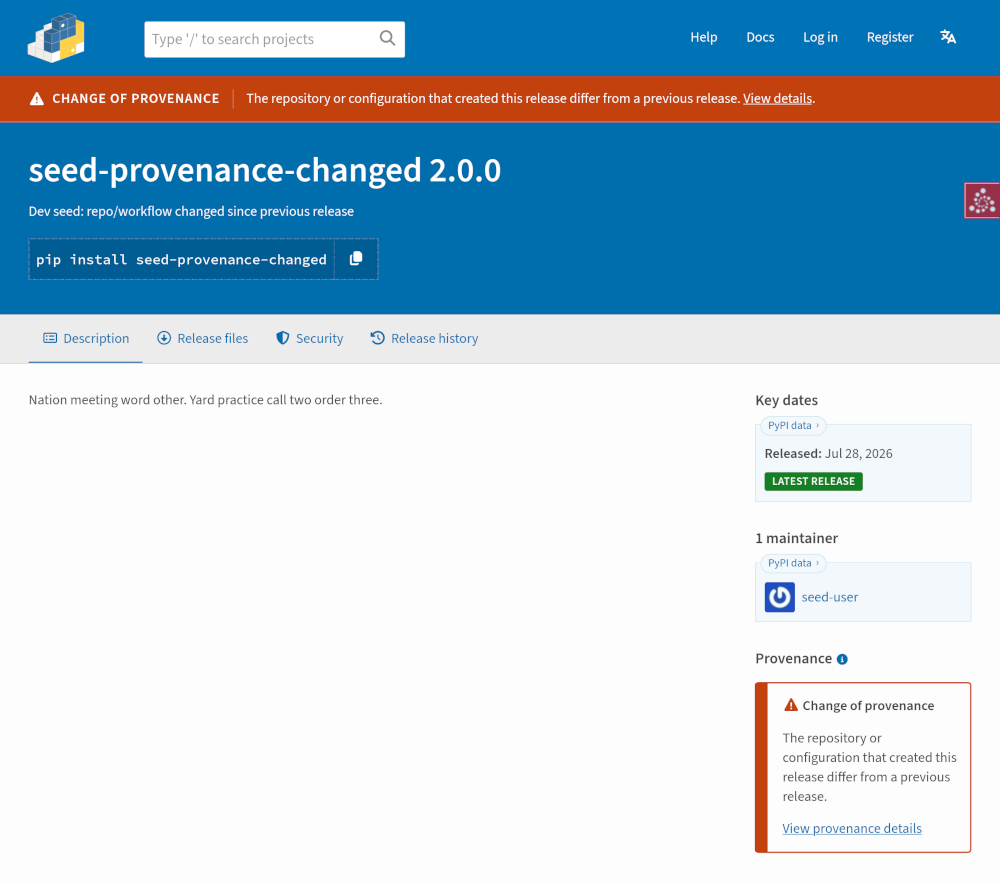
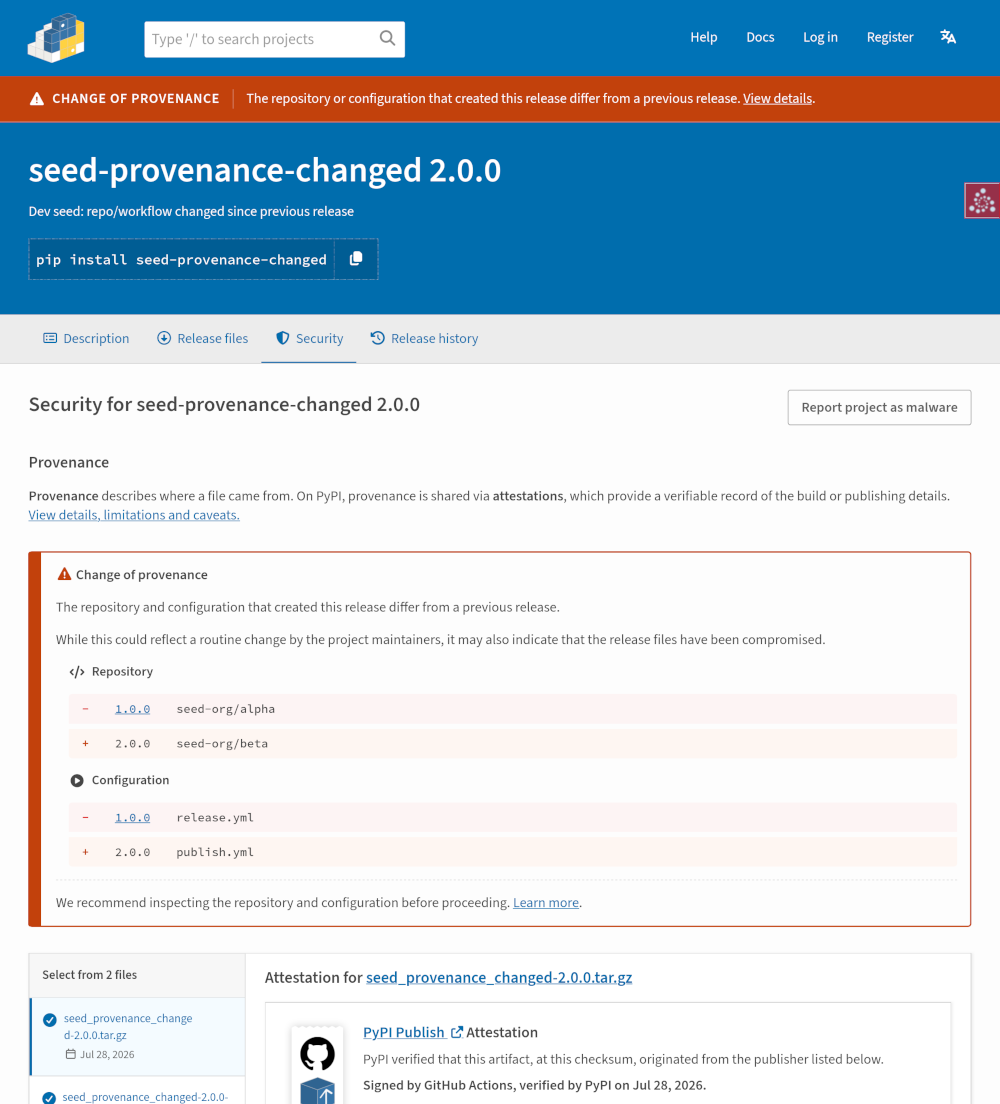
When the publishing repository or configuration changes between releases, a “Change of provenance” warning is surfaced across the release status bar and sidebar:
On the security tab, an alert explains that the repository and configuration that created this release differ from a previous release, accompanied by a diff comparison:
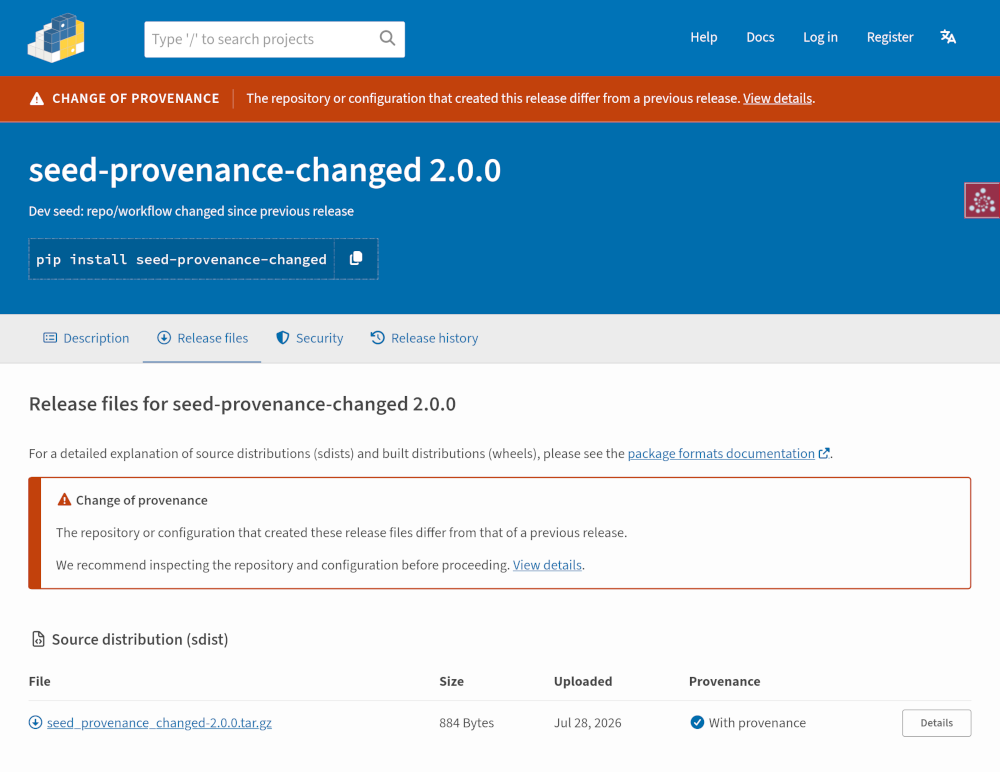
On the files tab, an alert is added that links users to the security tab for more information:
Files added late
When a file is uploaded more than 14 days after the first file in a release, a “File added late” warning is surfaced in the release status bar, as well as on the files tab and file detail page. On the security tab, an “Upload timing” section is added to provide more context. Because PyPI now rejects new files after 14 days, this warning only appears on historical releases.
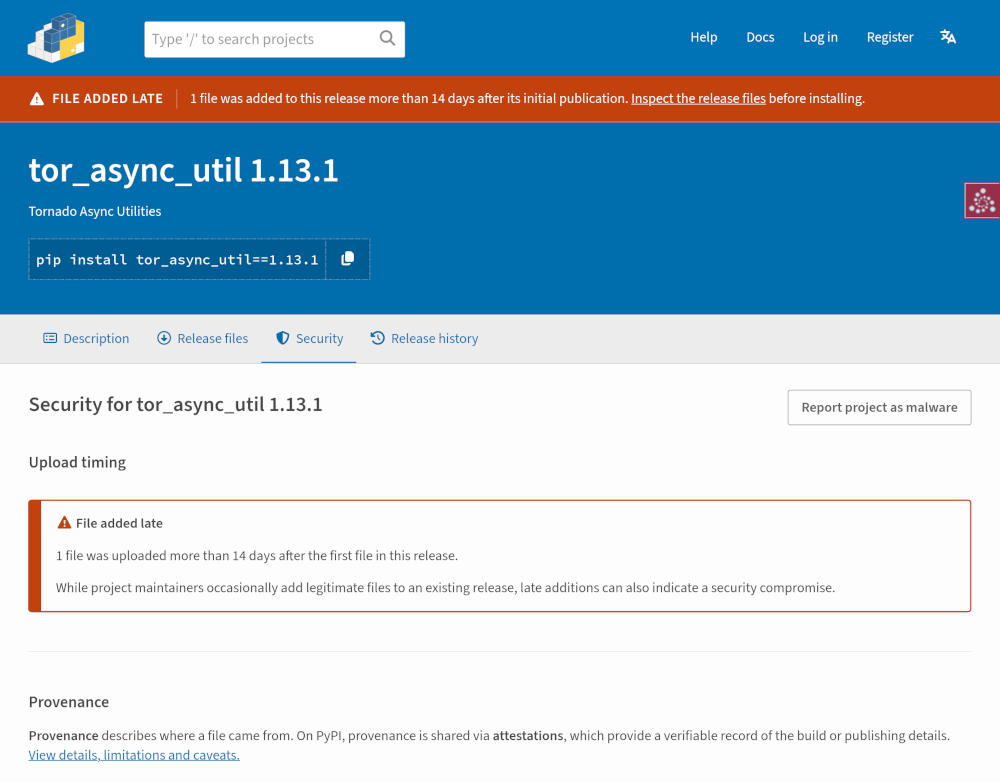
When a release has both late-file and provenance anomalies, the release status bar shows only the provenance warning. On the files tab and file detail page, the warnings are consolidated into a single composite alert for improved usability (e.g., “Loss of provenance, with files added late”).
Documentation updates
To support the UI changes, we updated the user documentation, following this guide’s documentation recommendations:
- Content previously managed within a single
/helppage was migrated into structured, role-specific user documentation - A new Package Security section was added under “Using PyPI” for package consumers, documenting provenance and attestations alongside source code assessment, checksum verification, common attacks, and vulnerability reporting
Recommendations for other registries
Define what “provenance” and “attestations” mean
Until these terms become industry-standard knowledge, registries should define them clearly. On PyPI, we added this description to the security tab, which links directly to the updated documentation:
Provenance describes where a file came from. On PyPI, provenance is shared via attestations, which provide a verifiable record of the build or publishing details. View details, limitations and caveats.
Be judicious about using “verified”, checkmark icons, or green styling
As documented in the Level AA recommendations, we found that users quickly jump to conclusions about these indicators, sometimes assuming that a positive security badge means a package is 100% secure. Two of six interview participants assumed that “verified” meant the PyPI team had manually audited the release’s source code.
If you use “verified”, checkmarks, or green badges, be careful to scope them explicitly. For example, we labeled verified metadata as:
Data verified by PyPI on <date>
This clarifies that the data has been verified, not the entire release or codebase.
Security signals are important, but should not supersede utility
We found that prioritizing security information above all else is not what users wanted; they looked for decision-relevant facts first, whether security-related or not. This finding is consistent with other recommendations in this style guide.
Warnings should provide enough context for users to investigate further
Users typically scan web pages rather than read every piece of text in detail. We found that warnings prompt users to pause when they:
- Carry sufficient visual emphasis (our warnings were styled in dark orange with an alert icon)
- Provide enough context, including actionable next steps
Design in the open
All designs and prototypes were shared on the Warehouse issue tracker for public feedback. We also staged each major change to TestPyPI, directing users to an issue where they could provide feedback. This process surfaced edge-case bugs and generated actionable feedback that we addressed before closing out the project.
Designing in the open and releasing changes in phases also helped users adapt: previewing upcoming changes and providing early feedback fostered a sense of involvement and community ownership.
Back to: Style guide overview
-
The release status bar is also used to display other critical states, such as when a project or release has been quarantined by PyPI administrators. In this scenario, quarantine status takes precedence, and provenance warnings are suppressed from this top bar. ↩
-
A release displays “Loss of provenance” if none of its files have attestations, but a prior release created within the preceding 14 days did. We chose a time-based window rather than a release count to prevent an attacker from flooding a project with releases to suppress the warning. ↩